

How do I charge Blue Connect before its first use?
- Step-by-Step Charging Guide:
- Remove the top cover: Press on both sides of Blue Connect’s top cover and pull upwards to expose the charging port.
- Dry the device: Ensure Blue Connect is completely dry before charging. Water around the charging port could cause damage to the device.
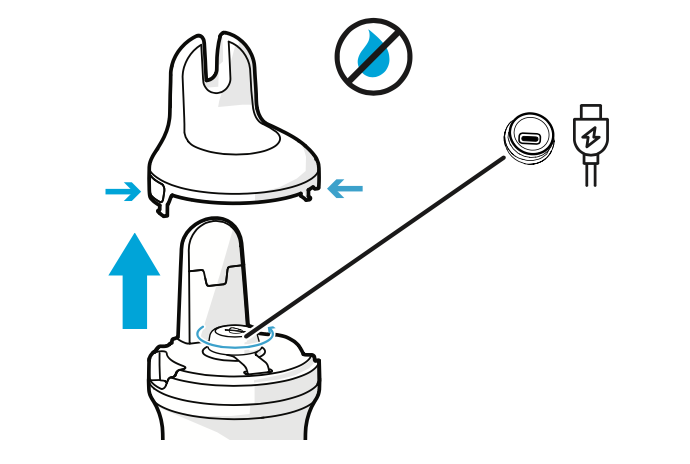
- Connect the USB-C cable: Plug the USB-C cable into the device and then into a power outlet.
- Upright position: Always charge the device while it is in an upright position using the storage foot filled with KCl solution or water to keep the sensors moist.
- Monitor charging: The LED light will blink blue during charging and turn solid blue when fully charged.
IImportant Tip: Make sure the charging port is fully dry before plugging in the cable to prevent any moisture from entering the port, which could damage the electronics.