

How do I charge Blue Connect before its first use?
- Step-by-Step Charging Guide:
- Remove the top cover: Press on both sides of Blue Connect’s top cover and pull upwards to expose the charging port.
- Dry the device: Ensure Blue Connect is completely dry before charging. Water around the charging port could cause damage to the device.
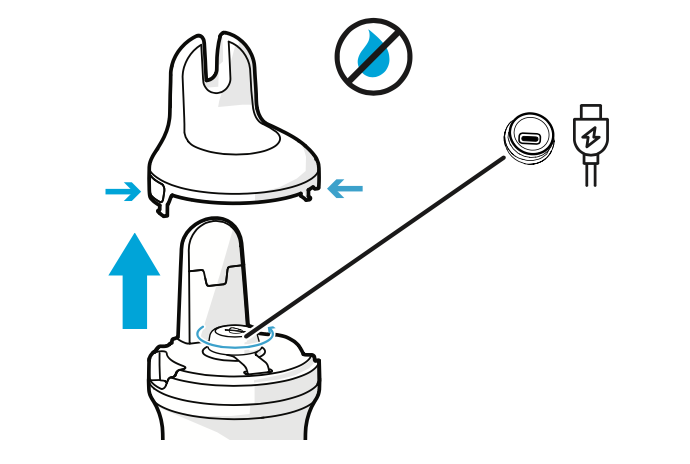
- Connect the USB-C cable: Plug the USB-C cable into the device and then into a power outlet.
- Upright position: Always charge the device while it is in an upright position using the storage foot filled with KCl solution or water to keep the sensors moist.
- Monitor charging: The LED light will blink blue during charging and turn solid blue when fully charged.
Important Tip: Make sure the charging port is fully dry before plugging in the cable to prevent any moisture from entering the port, which could damage the electronics.
For more information on how to pair the Blue Connect, press here.
For more information on how to install the Blue Connect in the pool, press here.