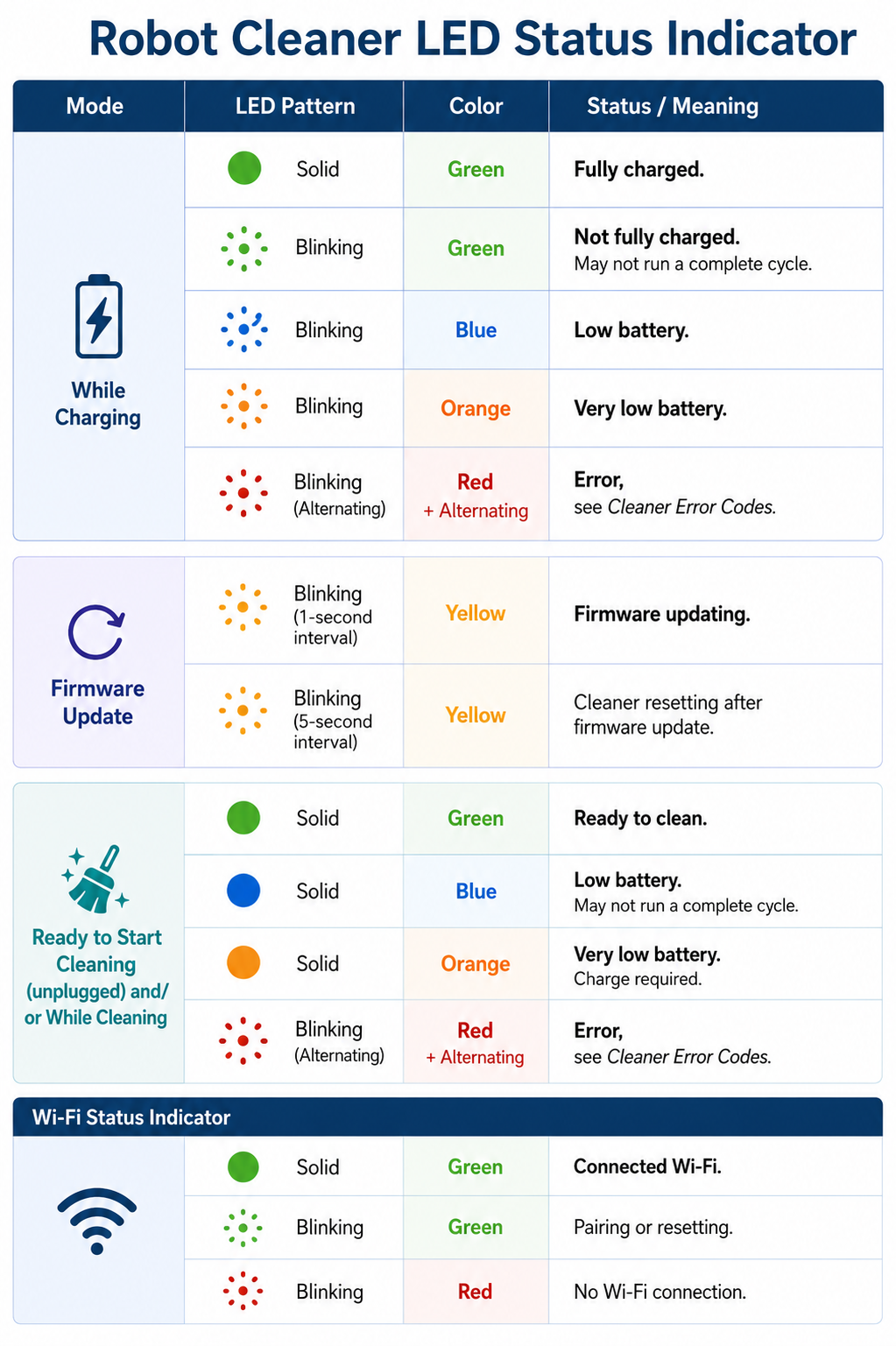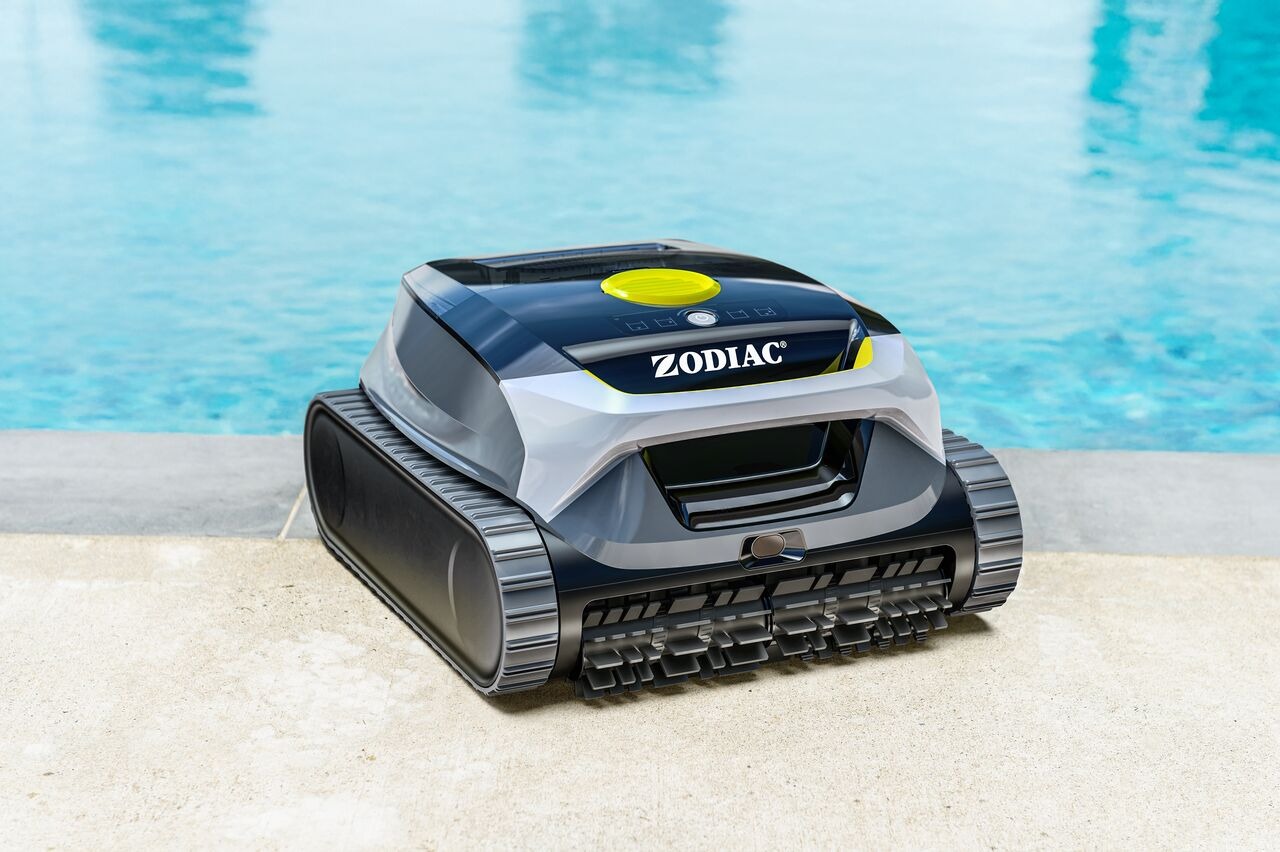
The LED status light on your Freedom Lite shows the robot’s current state.
Understanding these signals helps you quickly know what the robot is doing and if any action is needed.
⚡ Quick overview
| Color | Meaning |
|---|---|
| 🟢 Green | Ready or charged |
| 🔵 Blue | Low battery |
| 🟠 Orange | Very low battery |
| 🔴 Red | Error |
| 🟡 Yellow | Firmware update |
| 🌿 Blinking Green | Pairing / setup mode |
🔋 While charging
🟢 Solid green
Meaning: Fully charged
👉 Ready to use
🌿 Blinking green
Meaning: Not fully charged (charging in progress)
👉 The robot may not complete a full cycle yet
🔵 Blinking blue
Meaning: Low battery
👉 Continue charging
🟠 Blinking orange
Meaning: Very low battery
👉 Charging required before use
🔴 Blinking red
Meaning: Error detected
👉 Check error codes or contact support
🧹 Ready to start / Cleaning
🟢 Solid green
Meaning: Ready to clean
👉 You can start a cleaning cycle
🔵 Solid blue
Meaning: Low battery
👉 The cycle may not complete
🟠 Solid orange
Meaning: Very low battery
👉 Charging required before starting
🔴 Blinking red
Meaning: Error
👉 Check troubleshooting steps
📶 Wi-Fi status
🟢 Solid green
Meaning: Connected to Wi-Fi
🌿 Blinking green
Meaning: Pairing or resetting
👉 This occurs when:
- First startup
- Network reset
- App pairing
🔴 Blinking red
Meaning: No Wi-Fi connection
👉 Move the robot closer to your network or reconfigure connection
🔄 Firmware update
🟡 Blinking yellow (1-second interval)
Meaning: Firmware is updating
🟡 Blinking yellow (slower interval)
Meaning: Restart after update
👉 Do not turn off the robot during this process
⚠️ Robot will not start
- If battery is >10% → it will start but may stop early
- If battery is ≤10% → it will not start
👉 Fully charge before use
🔌 Charging best practices
- Dry the robot before charging
- Charge indoors only
- Temperature: 10°C–40°C (50°F–104°F)
- Charging time: ~4 hours
🧠 Troubleshooting tip
If the LED behavior doesn’t match any of the above:
👉 Restart the robot and try again
👉 If the issue continues, contact Customer Support