
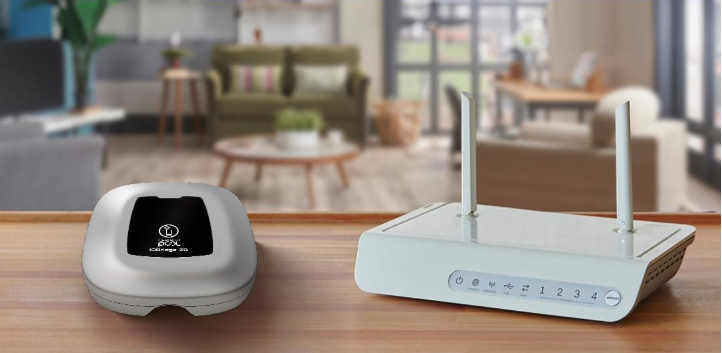
This guide explains how to pair the Smart Plug REVB – ZB version with the Fluidra Pool® app.
The Smart Plug allows you to control connected pool equipment directly from your smartphone.
Compatibility
Supported model: Smart Plug REVB – ZB version
Installation requirements:
• Must be installed in a dry, indoor location
• The plug must be located at least 3.5 m from the pool
• For remote control, the Smart Plug must be within range of an iQBridge ZB gateway
Connection Types
The Smart Plug supports two types of connection:
• Local control: Bluetooth connection between the Smart Plug and the Fluidra Pool app
• Remote control: Requires an iQBridge ZB gateway
• Communication between the Smart Plug and the gateway uses Zigbee
The gateway allows the Smart Plug to be controlled remotely through the internet.
Pairing Steps
Plug the Smart Plug into a power outlet
Wait until the LED indicator starts blinking blue
(this indicates the device is ready to pair)
Open the Fluidra Pool app
Log in or create an account
Tap Add Equipment
Scan the QR code located under the Smart Plug
Follow the instructions in the app to complete pairing
Once paired, the Smart Plug can be controlled locally via Bluetooth.
LED Behavior (Smart Plug)
| LED Status | Meaning |
| Blinking Blue | Pairing mode |
| Solid Blue | Paired successfully |
| Off or Red | Not connected or reset needed |
Troubleshooting
If pairing does not work, check the following:
• Ensure Bluetooth is enabled on your phone
• Stay close to the Smart Plug during pairing
• If the device was previously paired, perform a factory reset (press the button for about 20 seconds)
• Make sure the QR code under the device is clearly visible when scanning
• Ensure the plug is installed indoors and at least 3.5 m from the pool
Remote Control (Optional)
To control the Smart Plug remotely, you can connect it to an iQBridge ZB gateway.
The gateway allows the Smart Plug to communicate with the cloud and enables control through the Fluidra Pool app even when you are away from home.