
 The Heating Priority function is a smart feature available on compatible heat pumps connected to the Fluidra Pool app. It ensures that your pool reaches the desired temperature efficiently by allowing the heat pump to take control of the filtration pump when needed.
How does it work?
When Heating Priority is activated, the heat pump will continue heating the pool until the target temperature is reached — even if this means running outside the scheduled filtration hours.
To do this, the system forces the filtration pump to run whenever heating is required, temporarily overriding the default filtration schedule.
When should you use Heating Priority?
When you want your pool to be warm at a specific time, regardless of the regular filtration schedule.
When you’re expecting cooler weather and want to maintain comfort.
When you want to keep a stable water temperature for frequent use.
How to enable it in the app
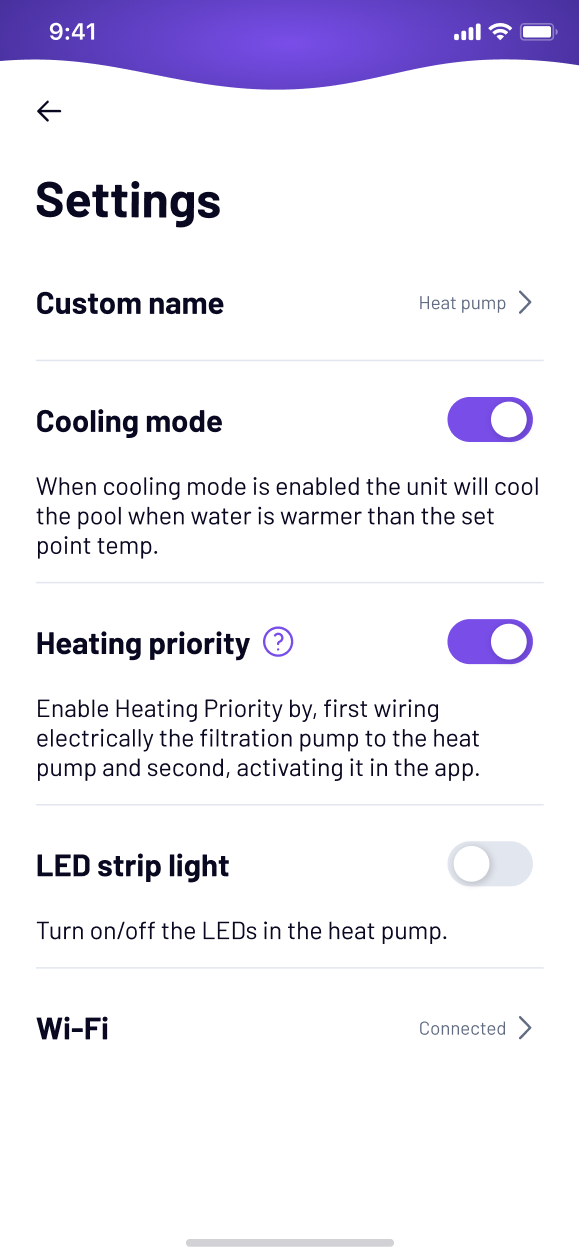
Note: Before activating Heating Priority in the Fluidra Pool app, make sure the heat pump is electrically wired to the filtration pump, so it can control its operation.
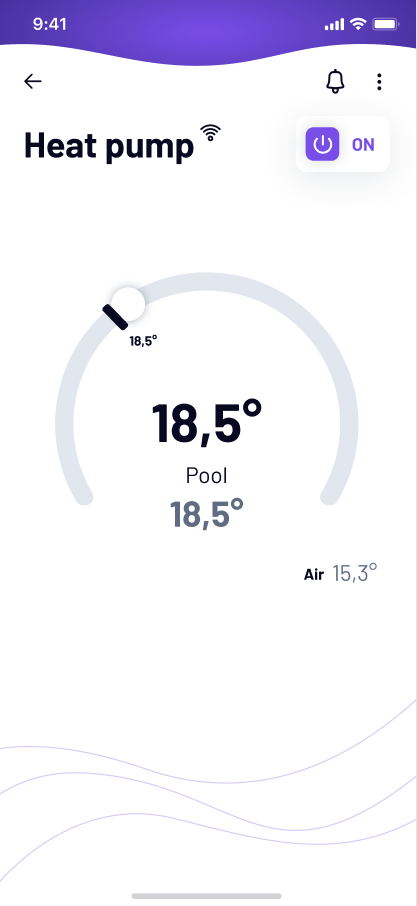
Go to “My Equipment” and select “Heat Pump.”
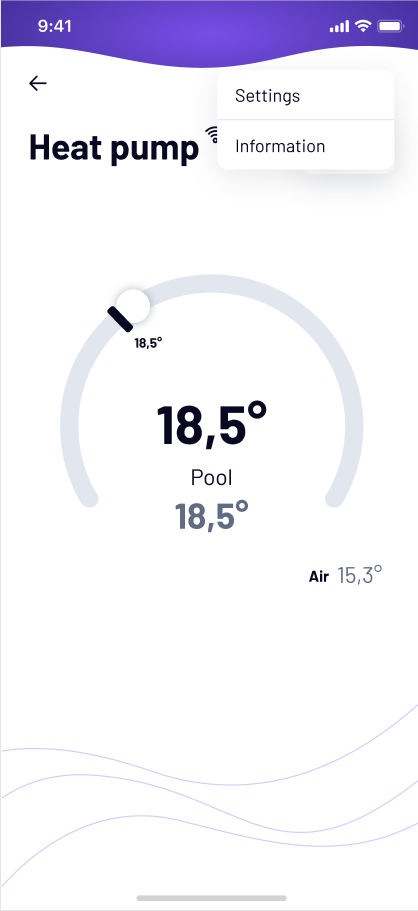
Tap the three dots in the top right corner and select “Settings.”
Toggle Heating Priority on or off.
If you have not found the information you are looking for in our Help section, do not hesitate to contact us through the Support chat. In case you have a technical issue with your equipment, please check the equipment manual for more information and/or contact your installer.
