

Depending on the model of your heat pump, you can choose between different operating modes. Follow these simple steps to change the mode of your heat pump:
Go to “My Equipment” and select “Heat Pump”.
Click on the small question mark located next to “Mode”. A window will open showing all available modes and their explanations.
To change the mode:
If your heat pump has only three modes, simply click on the mode you want.
If your heat pump has more than three modes, click on the small arrow and select the desired mode from the list.
Model Z650iQ:
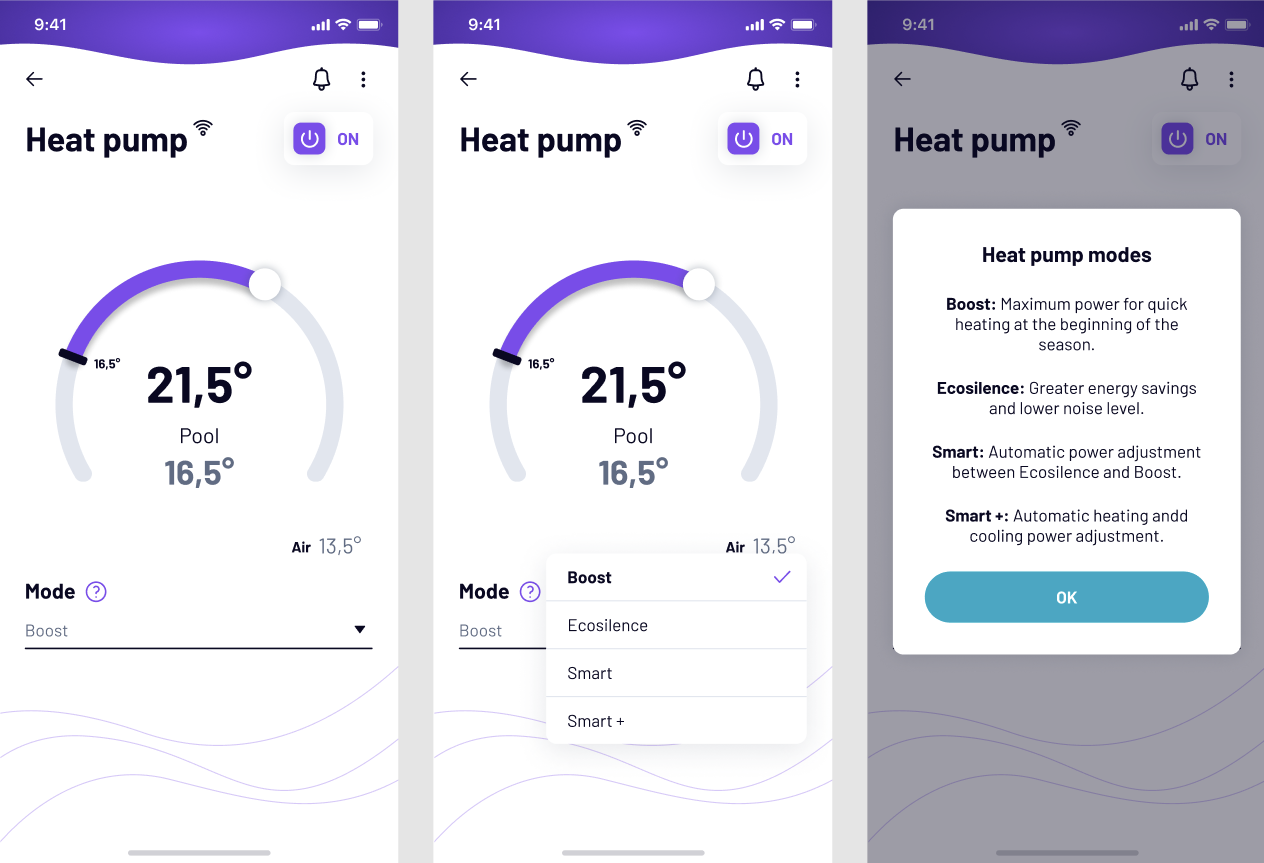
Models Z250iQ, Z260iQ, VSN, HPGI 7, ECO ELYO:


Models Z350iQ / Z550iQ:


If you have not found the information you are looking for in our Help section, do not hesitate to contact us through the Support chat. In case you have a technical issue with your equipment, please check the equipment manual for more information and/or contact your installer.


